Edit the Envelope Title
In Designer, the envelope's properties are displayed in the right sidebar. Here, you can edit the envelope's title.
First, access Designer.
- Launch TrueSign. The Home page is displayed.
- Click the My Envelopes tab. Existing envelopes are listed.
- Locate the envelope to configure.
- Click the Design button.
The Designer interface is launched. The envelope properties, including the title, are managed through the right sidebar.
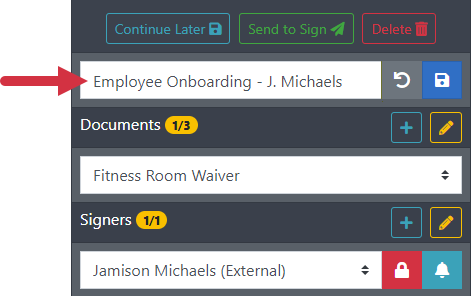
- Update the envelope title as needed.
- Click the Save icon to save the change.
You can click the Reset icon to return to the original title.
In the properties pane, you can also configure:
Signer permissions and reminders