Upload a Signature Image
You can upload a stored image of your signature.

- Click the Image icon on the Signature Editor page.
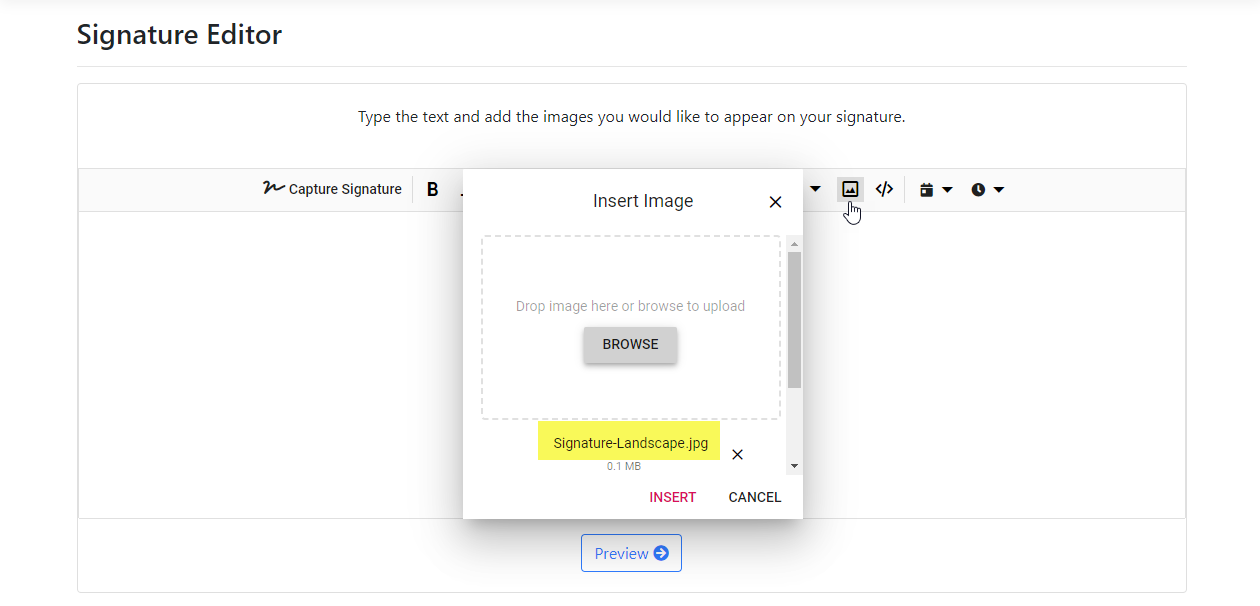
- Drop the image file to upload or click Browse so you can navigate to and select the image.
You can also specify a link from the web.
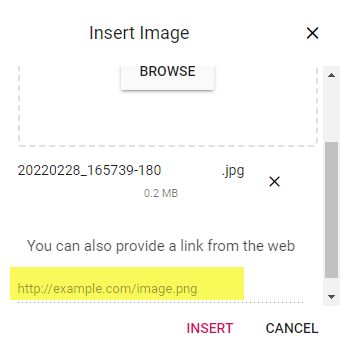
- Click Insert.
The image is uploaded and displays in the Signature Editor.
You can modify your signature by adding text, a table, an image, a date stamp, and a time stamp. See Enhance your Signature for details.
You can also replace, delete, realign, and resize the signature. See Edit a Signature for details.
- Once the signature image is configured, click the Preview button on the Signature Editor page.
Your signature, as it will appear once it's saved, is displayed.
If needed, click Edit to return to the Signature Editor and update as needed.
- Input a Nickname to easily identify the signature (optional).
- Click Save Signature.