Edit a Signature
You can edit an existing signature.
- On the Home page, select My Signatures from the navigation menu.
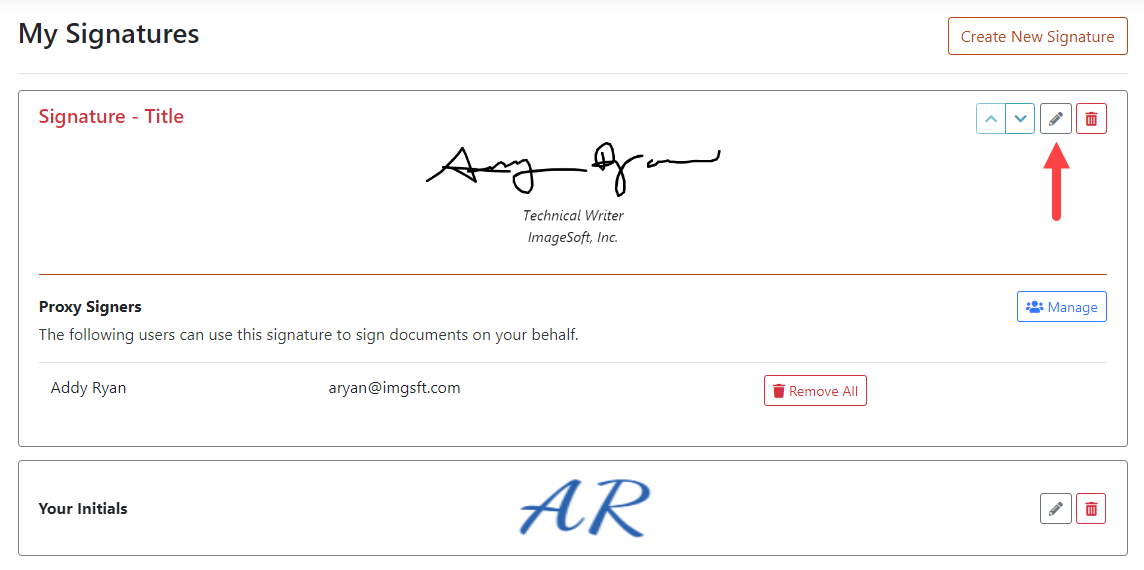
- Locate the signature to edit and click the Edit icon.
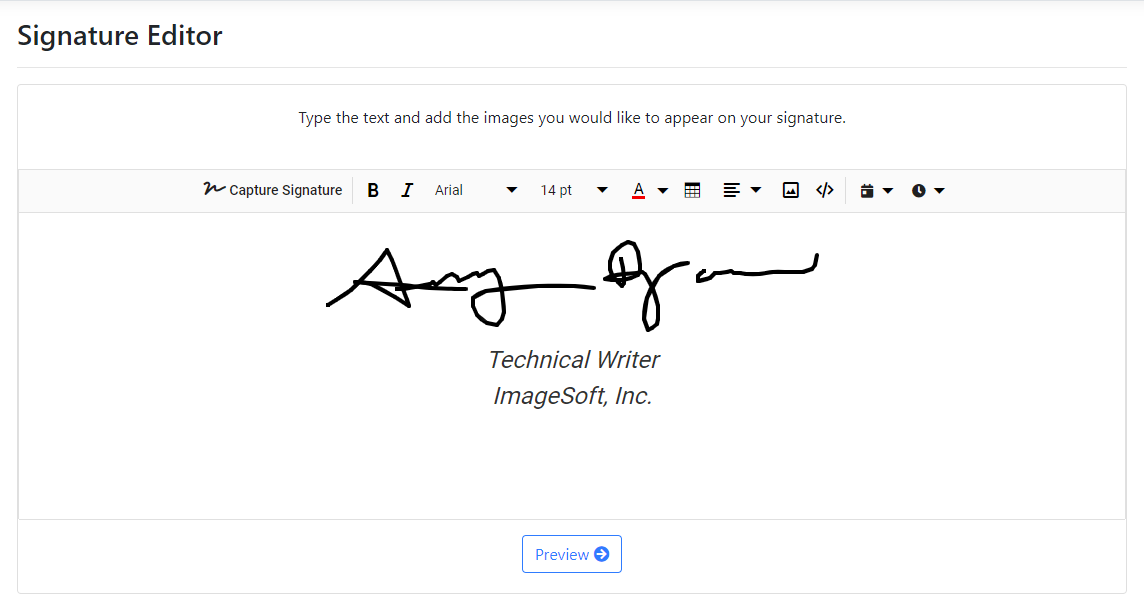
Here, you can:
- Replace the signature
- Delete the signature
- Change the signature's alignment
- Resize the signature (input the desired Width and Height dimensions in px)
- To perform the above operations, click the signature. This pop-up displays.
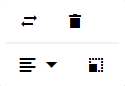
- Select the appropriate option.
You can modify your signature by adding text, a table, an image, a date stamp, and a time stamp. See Enhance your Signature for details.
- Once the signature image is configured, click the Preview button on the Signature Editor page.
Your signature, as it will appear once it's saved, is displayed.
If needed, click Edit to make any updates.
- Edit the signature Nickname, if required.
- Click Save Signature.