Manage Proxy Signers
A proxy signer is a TrueSign user that can apply your signature to a document on your behalf. For each signature in your signature library, you'll specify which users, if any, to whom proxy signing rights should be granted.
A TrueSign Admin will configure the available envelope types, as well as which users can be selected as a proxy signer for each type.
A user that's been identified as a proxy signer for one of your signatures will see that signature listed in the Signatures drop-down list on the TrueSign Viewer. They can apply your signature to the document. See Sign a Document for details on applying a signature to a document in an envelope.
To assign a proxy signer:
- On the Home page, select My Signatures from the navigation menu.
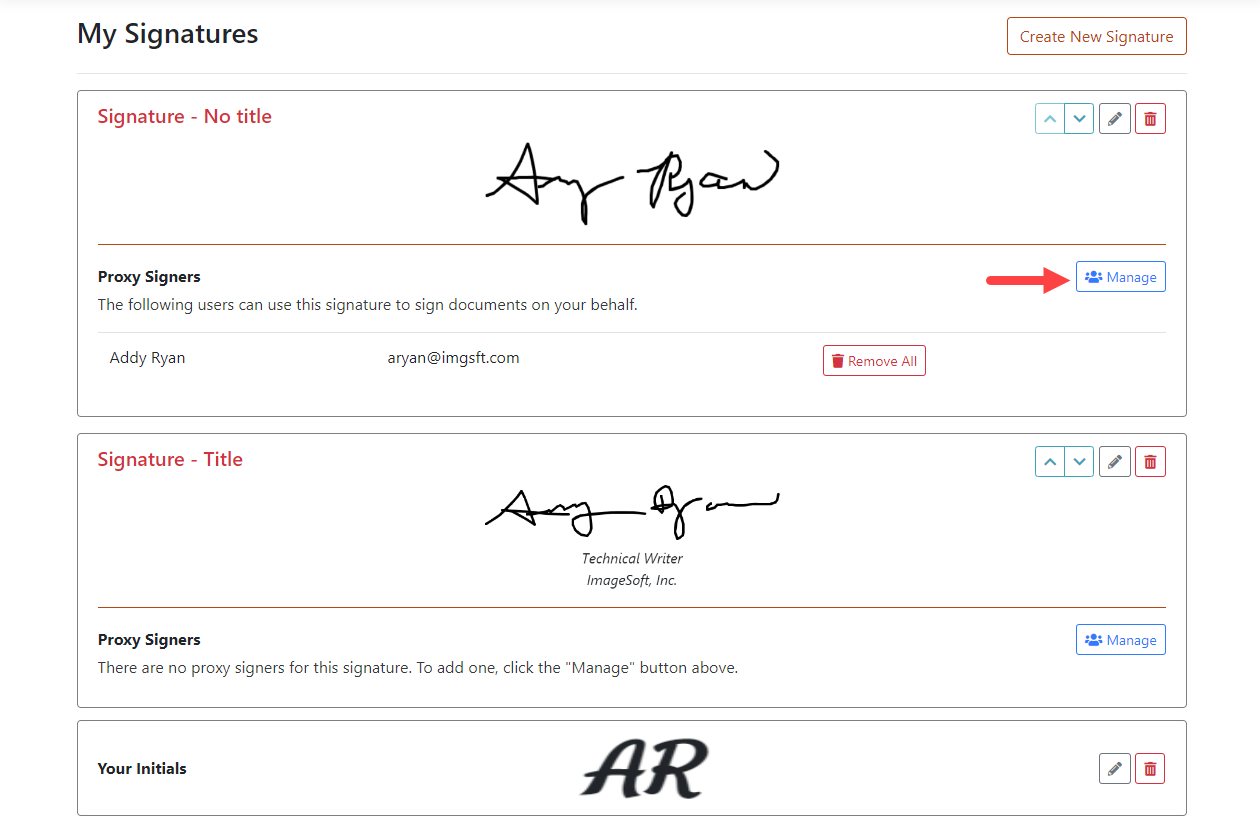
- Locate the appropriate signature.
- Click the Manage button in the Proxy Signers section for that signature.
You must have permission, granted by an Administrator, to assign a proxy signer. If such permission isn't granted, the Manage button is not visible to you.
The Manage Proxy Signer page is displayed. This page lists the envelope types to which you can assign proxy signers.
- Expand the appropriate envelope type pane.
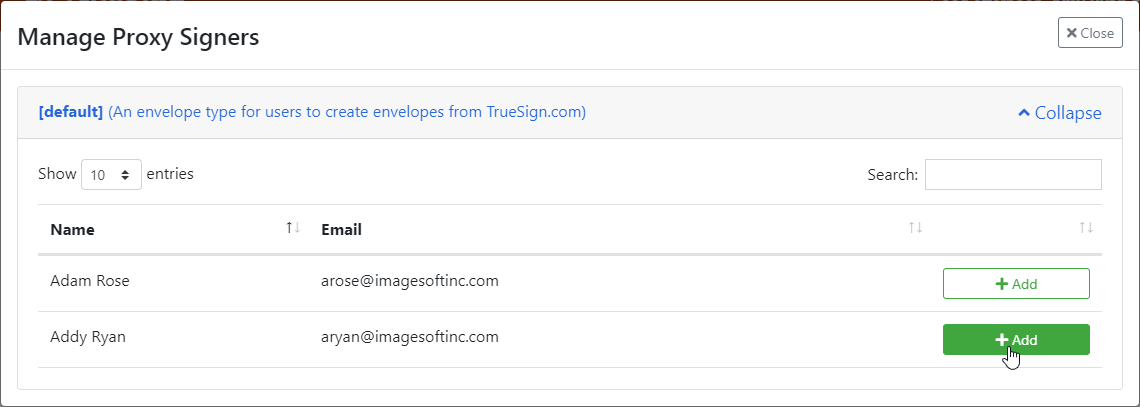
- Locate the user to grant proxy signing rights to and click the +Add button.
Your signature will now be available for Addy Ryan to select in the Signatures drop-down list on the TrueSign Viewer.