Edit your Initials
You can edit your initials.
- On the Home page, select My Signatures from the navigation menu.
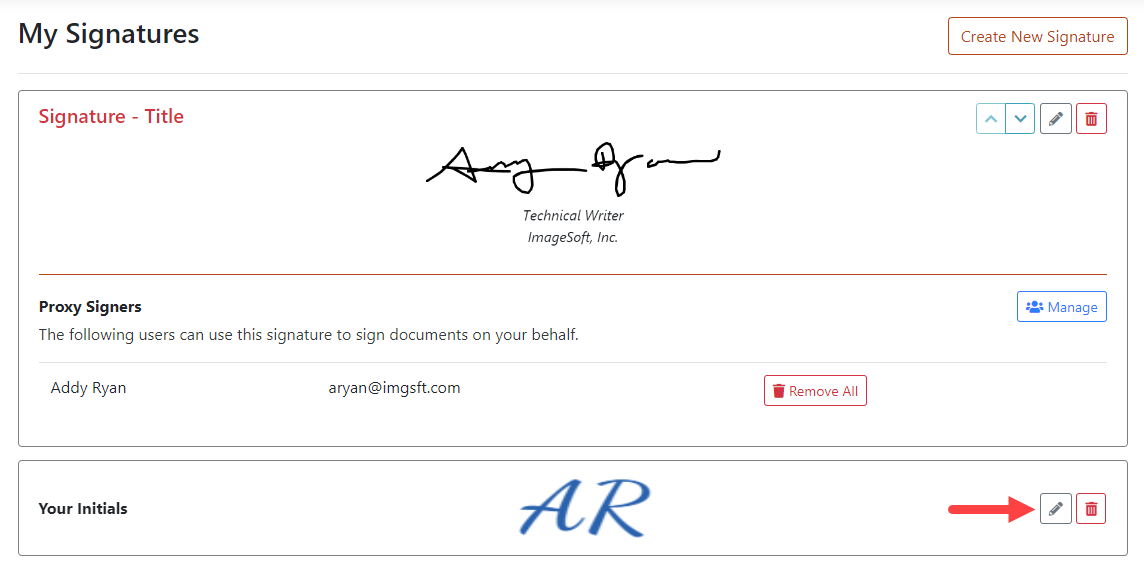
- Click the Edit icon in the Your Initials section.
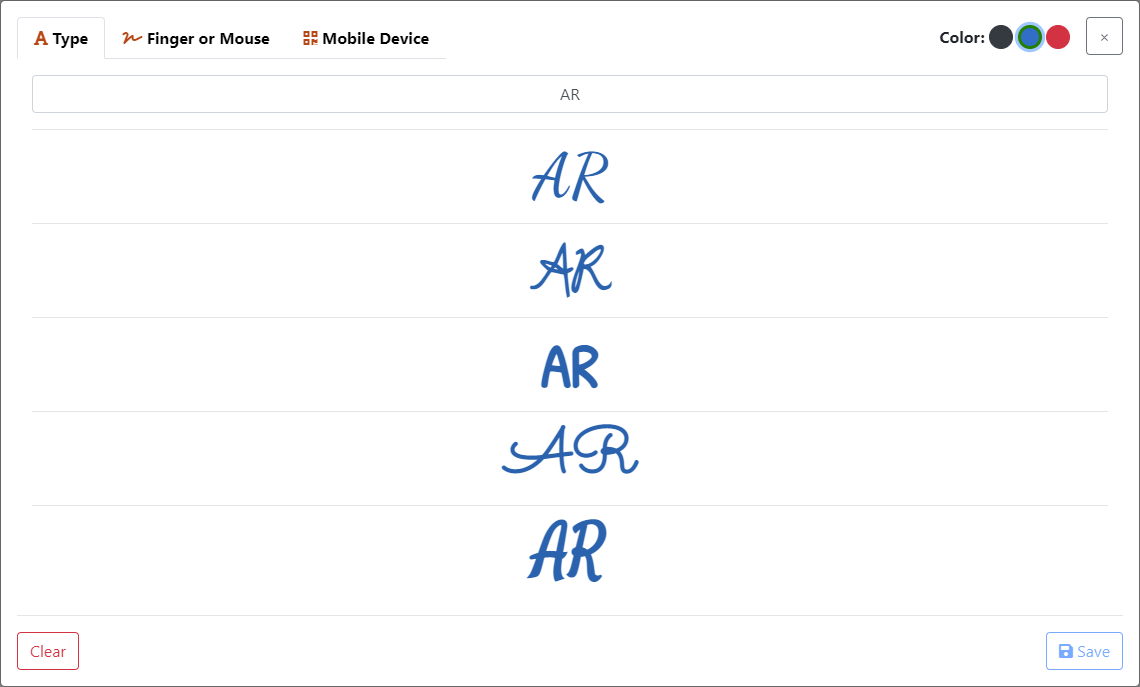
On the Type tab you can:
- Edit the characters in your initials
- Change the color of your initials
- Change the style applied to your initials
See Capture your Initials for more details.
On the Finger or Mouse tab you can:
- Select a color and redraw your initials. See Capture your Initials for more details.
On the Mobile Device tab you can:
- Capture the QR code and re-draw your initials on your device. See Capture your Initials for more details.