Reorder your Signatures
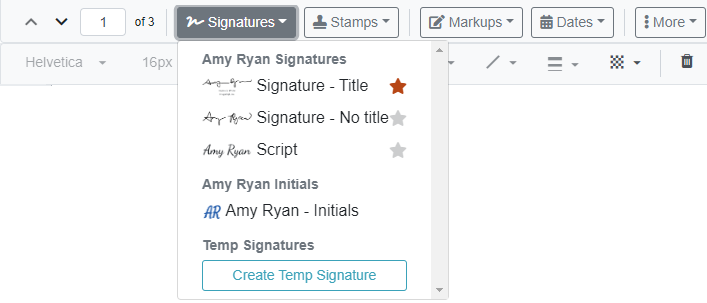
The order your signatures appear on the My Signatures page determines the order they'll appear in the Signatures drop-down on the TrueSign Viewer.
To change the order in which your signatures are listed:
- On the Home page, select My Signatures from the navigation menu. The My Signatures page is displayed.
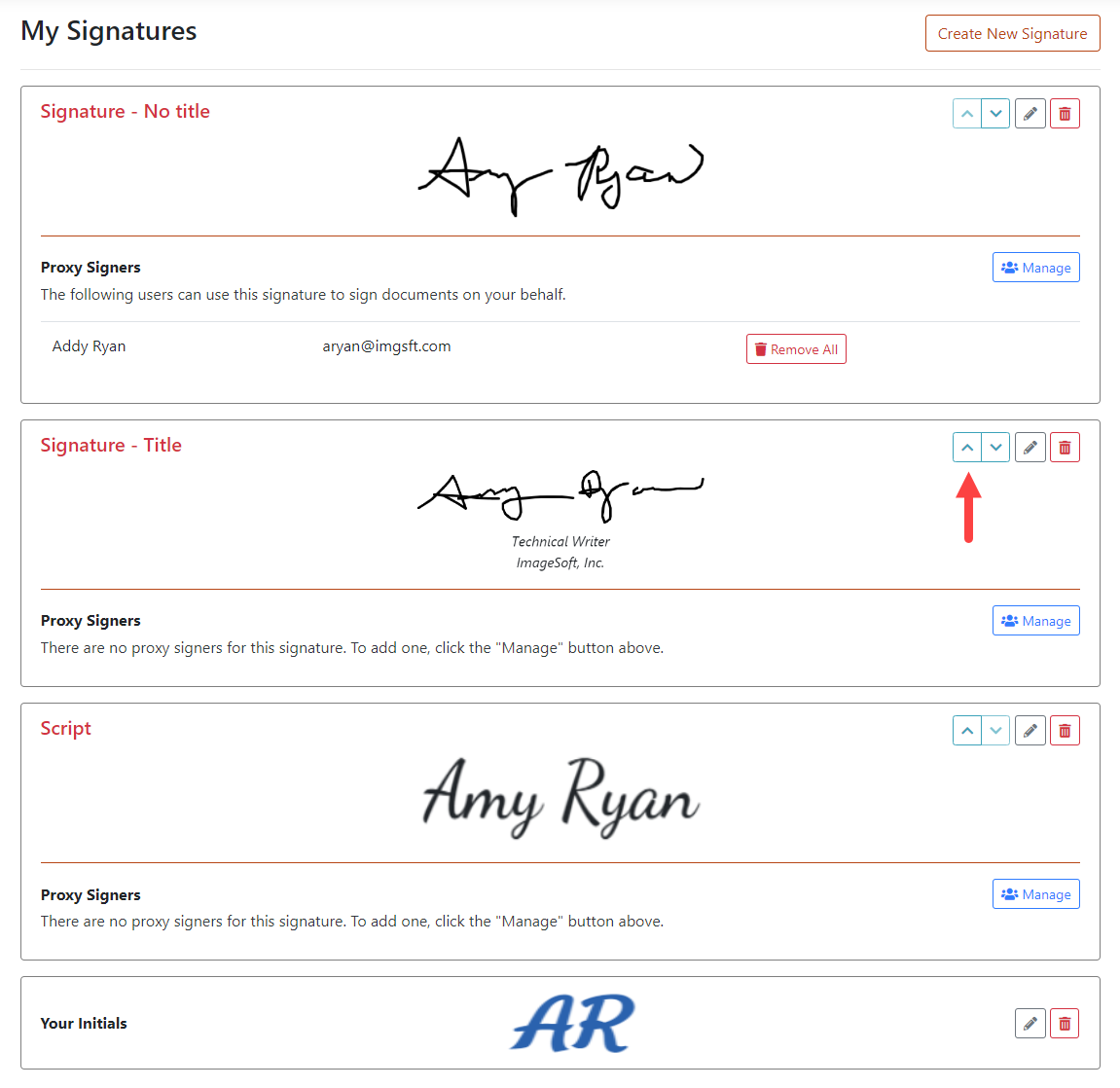
- Locate the appropriate signature and click the Arrow icons to restructure the signature order.
In the above image, Signature - Title will move to the top of the list.
As a result, when the Signatures drop-down is accessed on the TrueSign Viewer, that signature is displayed first in the list.